
Every knob, key and screen
Rig 1988 is a room, not a window of controls. You walk up to a thing to work it and step back to see the whole rig. This page goes round the room one object at a time and says what each control does.
The office & your license
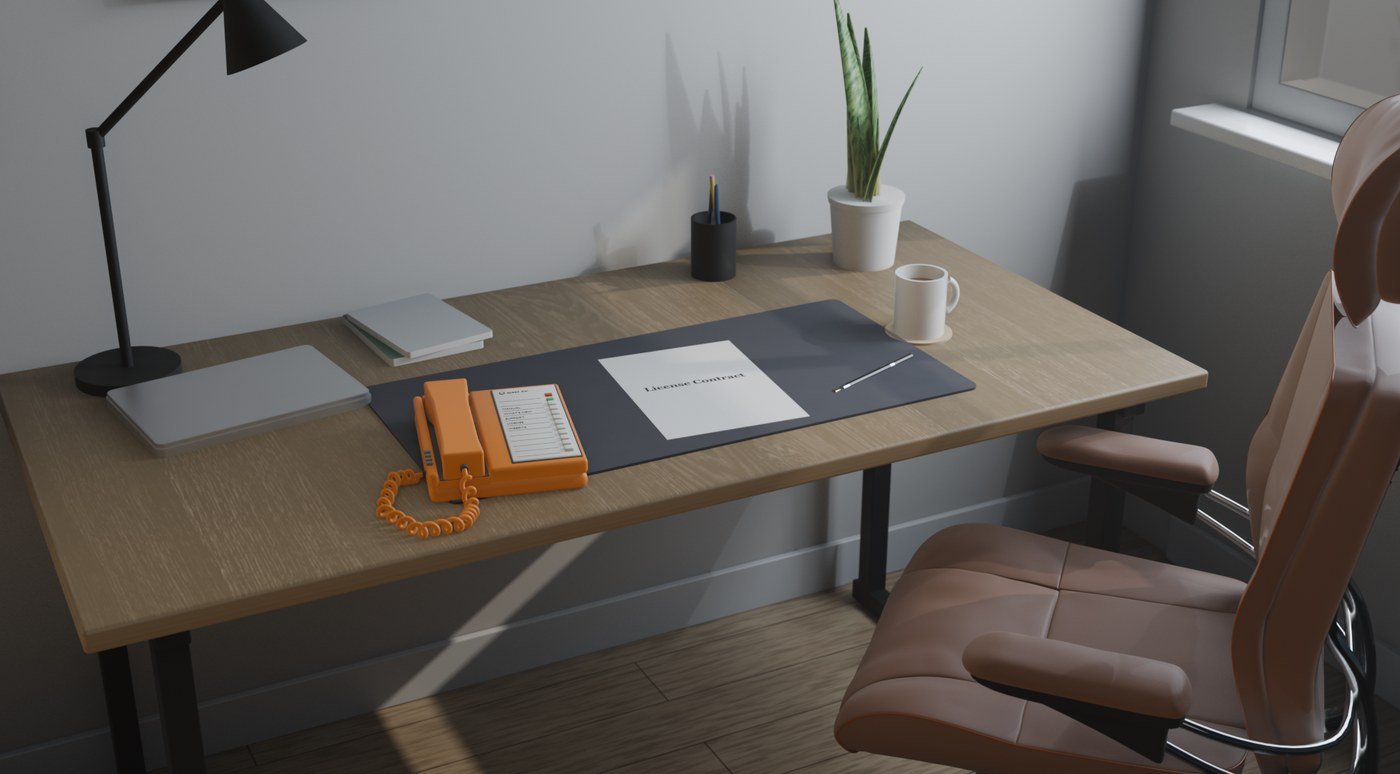
The first time Rig opens, it takes you to the license sheet in the office: enter your email and press Start free trial to begin your three-day trial, no card needed. The license sheet shows your trial or license status. You can enter a purchased license key there at any time.
- Automatic free trial
- Three days, tied to your machine. An internet check is required each time you open Rig during the trial. Reinstalling does not restart it. Paid licenses keep their existing offline use.
- Activate
- Type your key (it looks like YR-XXXX-XXXX) on the line and stamp Activate. The license is tied to this machine.
- Check now
- Asks the server about the license right away instead of waiting for the daily check.
- Release
- Frees this machine's seat so you can activate on another one. A license covers two machines.
- Renew / Buy a license
- Opens the shop in your browser.
When the sheet is in order, the glass key at the bottom of the window takes you into the room. Without a license the room is silent whatever the power switch says.
Moving around the room
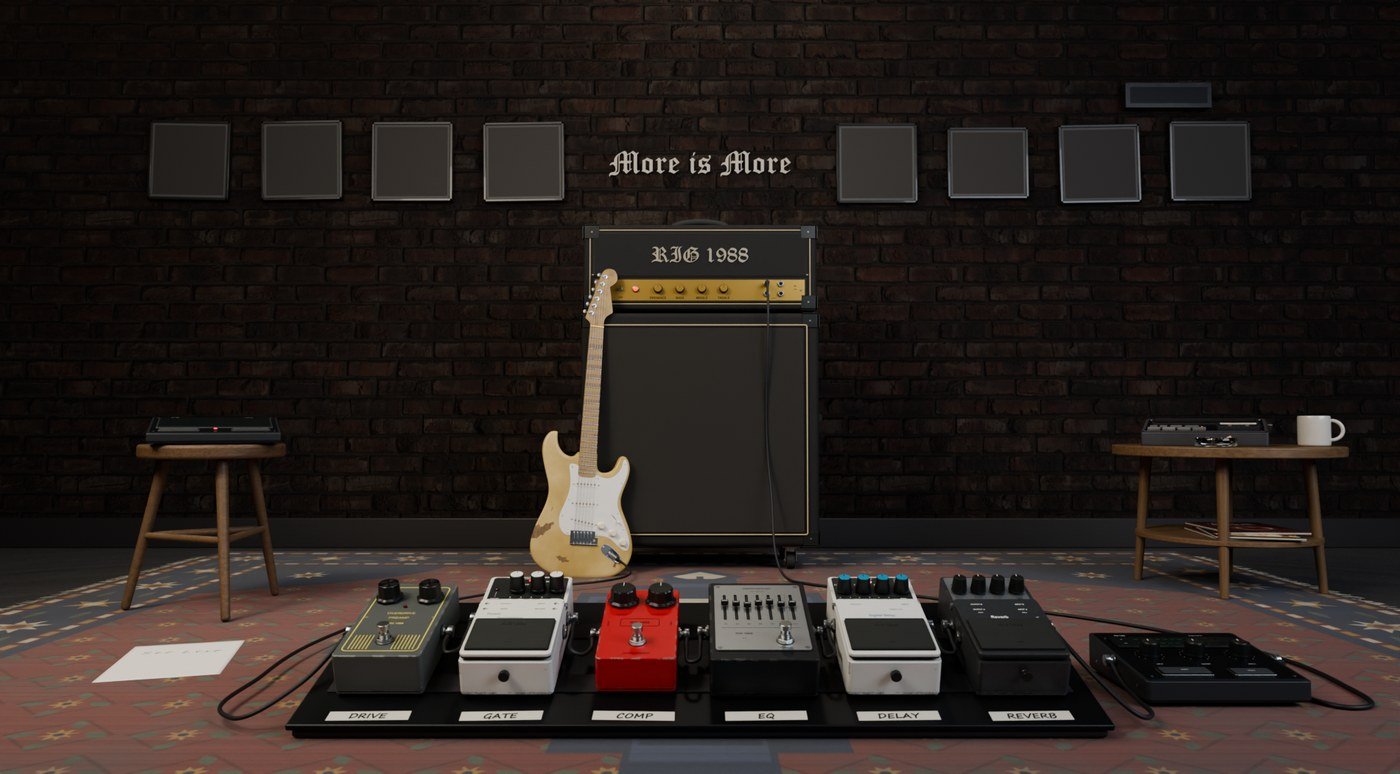
- Click a thing to walk up to it: a pedal, the amp head, the metering unit, the guitar's headstock, the metronome, the tape machine, the clock, a picture frame, the sheet on the rug.
- Click empty room, click the thing again, or press Esc to step back.
- Knobs: drag up to turn clockwise, down to turn back. Hold Shift while dragging for fine movement. The knobs on the pedals and the amp head can be turned from the room; they are bigger in the close-up.
- Faders (the EQ pedal): grab anywhere along the slot and drag.
- Footswitches click on and off; the pedal's lamp tells you which.
- The window can be any size; the room scales with it.
Power, ON / OFFICE
Two keys sit at the bottom of the window.
- ON
- The rig's power. Off, the lamps go dark and nothing passes; on, the sound comes up. Your guitar is heard through the rig only while it is on.
- OFFICE
- Walks over to the office and the license sheet, from anywhere — a close-up included. In the office, < Guitar Room brings you back.
The six pedals
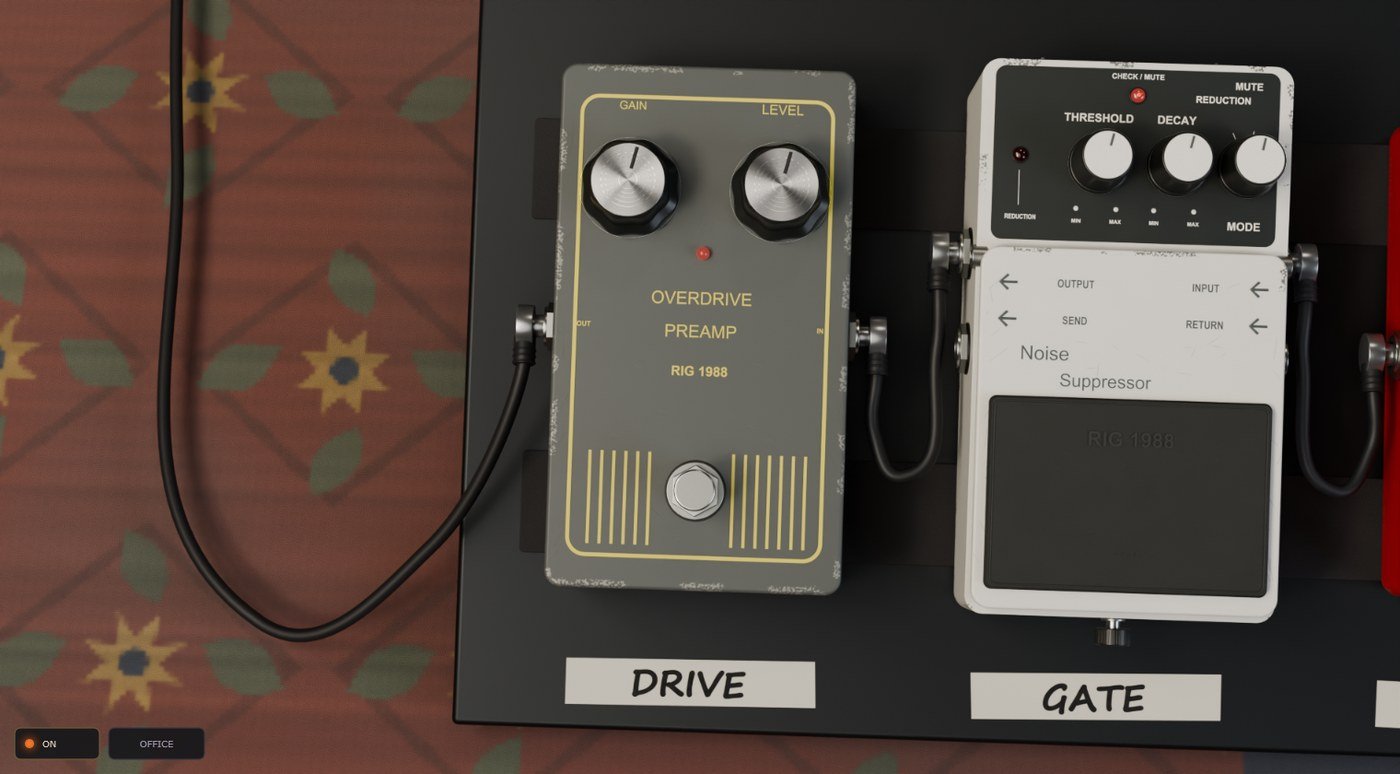
Left to right on the board, in the order the signal runs. Each one has a footswitch (in or bypassed) and its own knobs.
Noise gate
- Threshold
- How loud a note has to be to open the gate. Higher closes it sooner between notes.
- Decay
- How quickly it closes once the note falls under the threshold.
- Depth
- How far it pulls the signal down when closed — from a gentle tidy-up to silence.
Compressor
- Sensitivity
- How much it squeezes: turn up for more sustain and evenness.
- Output
- Makes up the level after the squeeze.
Drive
- Gain
- How hard the pedal pushes the amp head. This is the pedal that makes the tone sing — the reference setting is high.
- Level
- How much of it reaches the amp head.
Graphic EQ
Six band faders — 100, 200, 400, 800 Hz, 1.6 and 3.2 kHz — and a level fader. Centre is flat; up boosts, down cuts. The footswitch takes the whole pedal out.
Delay
- D.Time
- The gap between repeats.
- F.Back
- How many repeats before it dies away.
- E.Level
- How loud the repeats are against the dry note.
Reverb
- Decay
- How long the room rings.
- Mix
- How much reverb against the dry sound.
The amp head
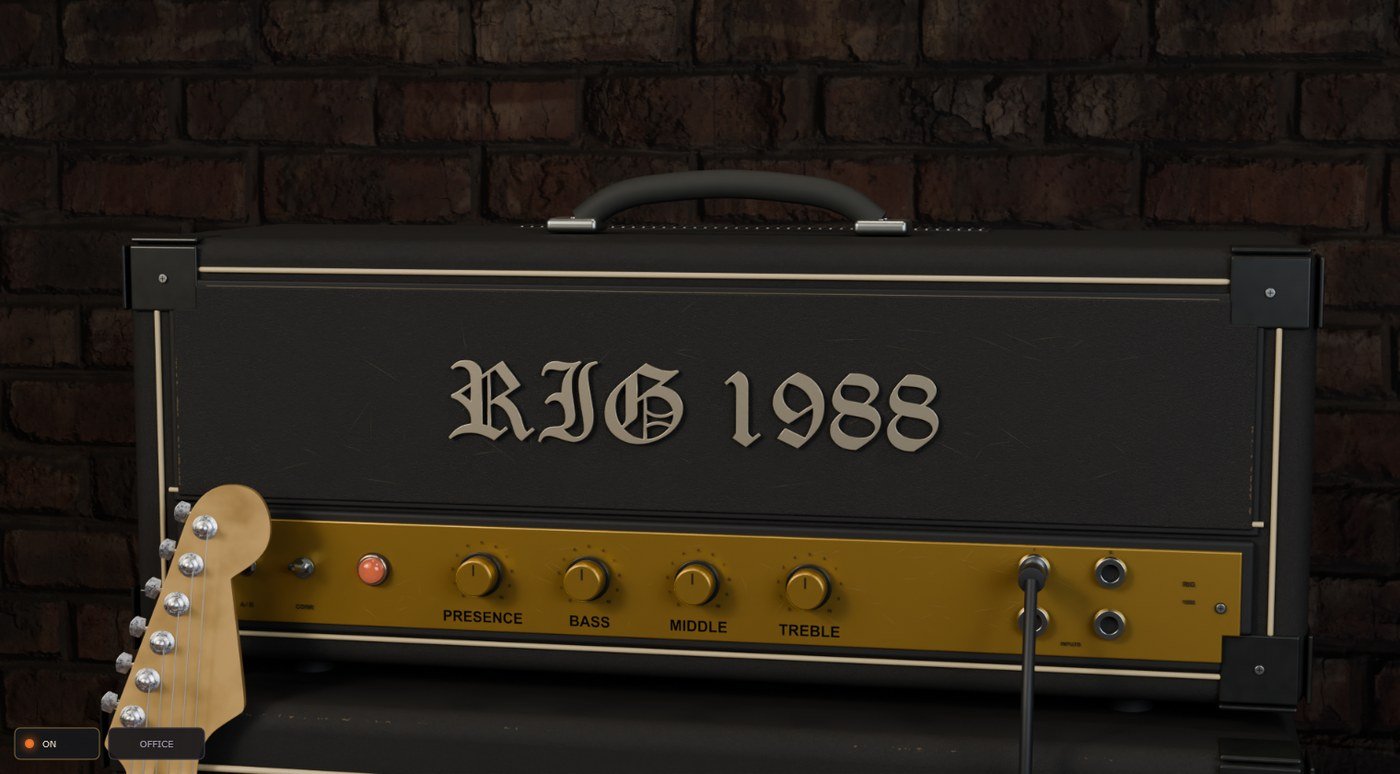
The amplifier. Its sound was captured whole — the amp head and the 4×12 cabinet together — so the four tone knobs shape the captured amp the way the real ones do.
- Bass / Middle / Treble
- The tone stack. The reference tone is middle up, bass low.
- Presence
- Top-end bite from the power stage.
- The jewel lamp
- Lit while the rig is on; brightens with the signal.
The metering unit
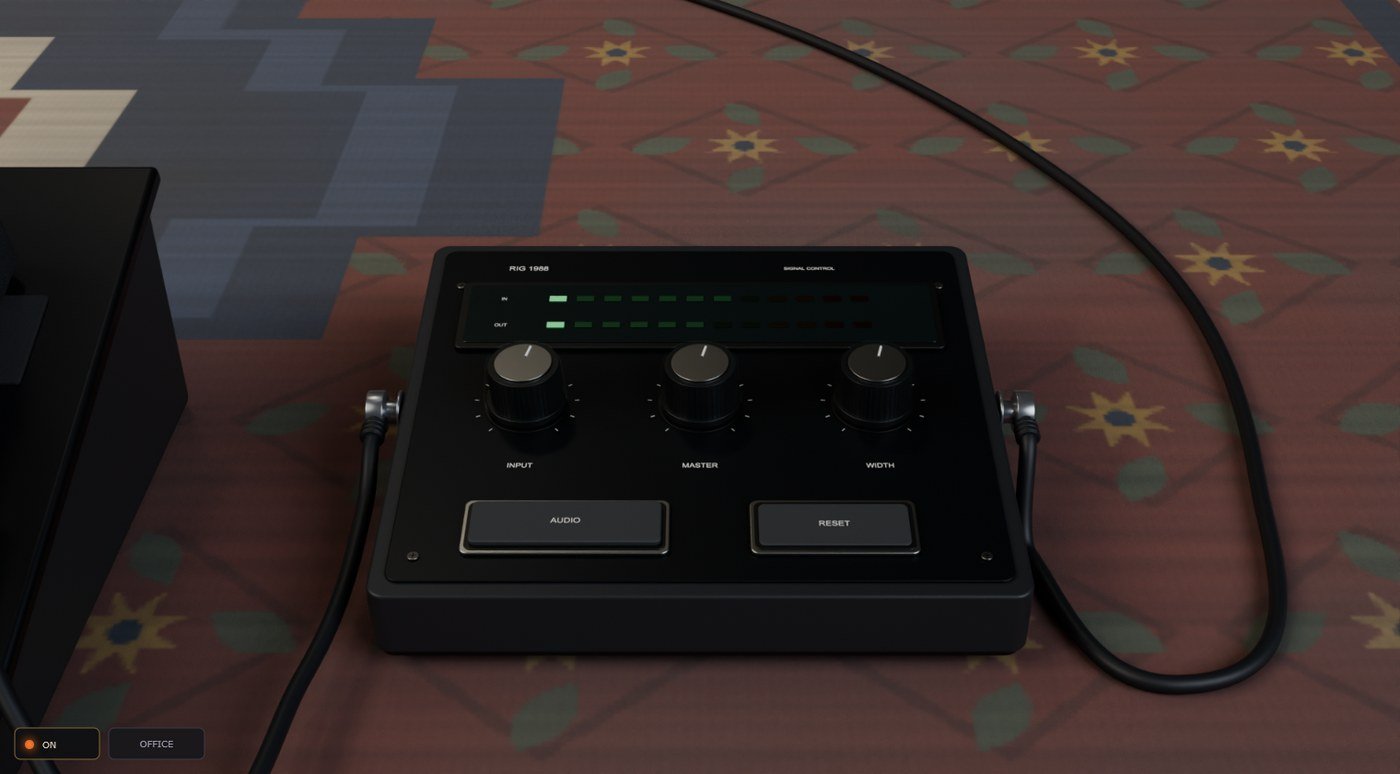
The small box on the rug beside the board. It is the rig's front door and back door.
- IN ladder
- Your guitar's level coming in. Aim for the green with the loudest notes touching amber; red means the interface is clipping and no knob here can undo that — turn the interface's input down.
- OUT ladder
- What leaves the rig.
- IN
- Trim on the way in. Set your interface's gain first; use this for the last few dB.
- MASTER
- The rig's output level — what you hear.
- WIDTH
- Stereo width of the delay and reverb. Fully left is mono.
- AUDIO
- Opens the audio settings: your interface, ASIO driver, sample rate and buffer. (In a DAW the host owns this; the key says so.)
- RESET
- Every knob back to the reference setting — the tone as captured.
The tuner
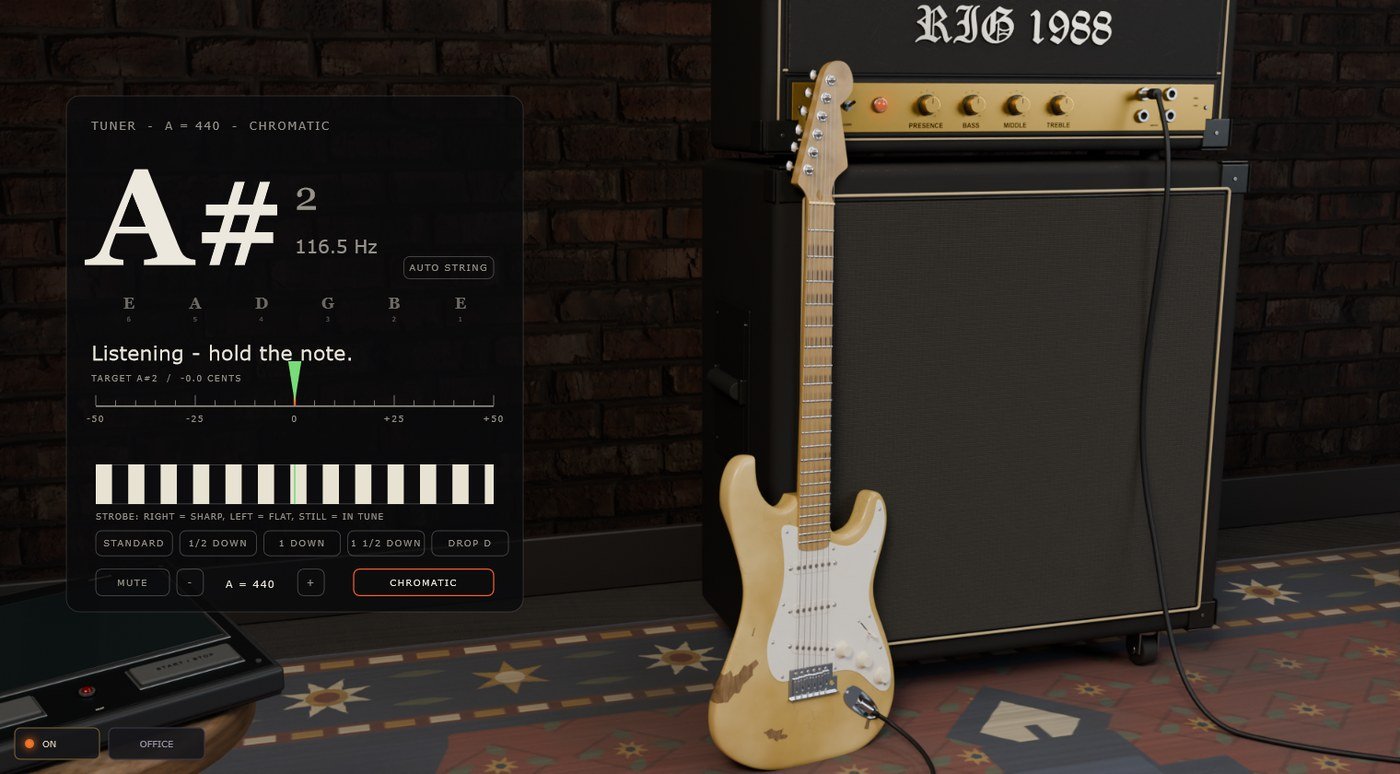
Walk up to the guitar's headstock. The tuner listens to the clean guitar before the rig and shows the note, how far off it is in cents, and a strobe that stands still when you are in tune. It only runs while you are at the headstock.
- Tuning
- Standard, ½ step down, 1 step down, 1½ steps down, Drop D. The note names follow the tuning.
- A =
- Reference pitch, 430–450 Hz.
- Mute
- Silences the rig while you tune, guitar only.
The metronome
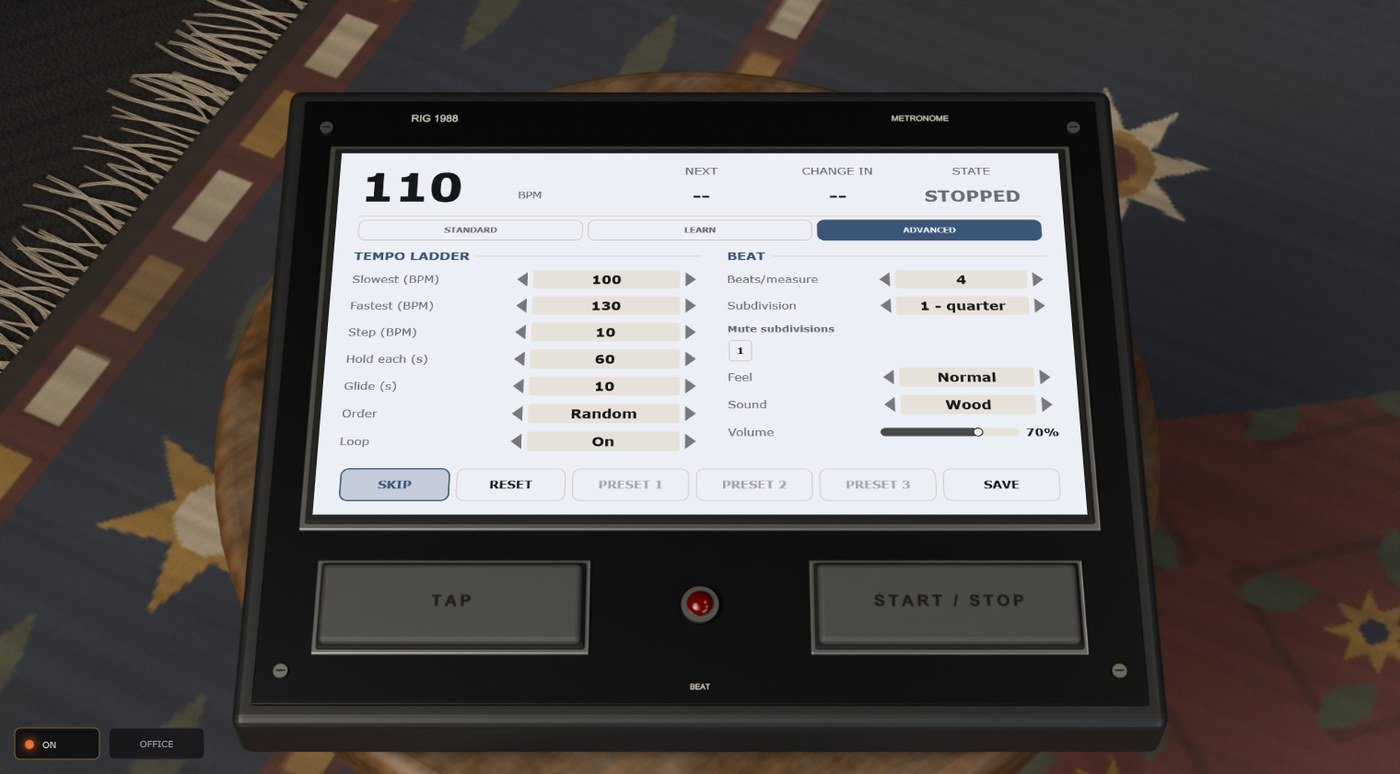
On the walnut table. Two keys on the case, everything else on its screen.
- START
- Runs and stops it. The lamp beats with it, and you can see it from across the room.
- TAP
- Tap the tempo in.
The screen has three pages; pick one at the top.
- Standard
- A metronome: tempo, time signature, subdivision, the click sound and its volume.
- Learn
- The practice ladder. Set a start tempo, an end tempo, a step and how long to hold each; it climbs (or picks at random) and goes round again. This is how you bring a lick up to speed.
- Advanced
- The whole panel: the ladder plus a ramp between steps, swing, and muted beats or subdivisions.
Each page has three preset slots. Click a slot to recall it; press SAVE and then a slot to write into it; RESET puts the page back to its defaults. Each of those asks first — yes or no. Switching to a plainer page neutralises what it cannot show (no ramp, no swing, no mutes), so nothing hidden is acting on you.
The tape machine
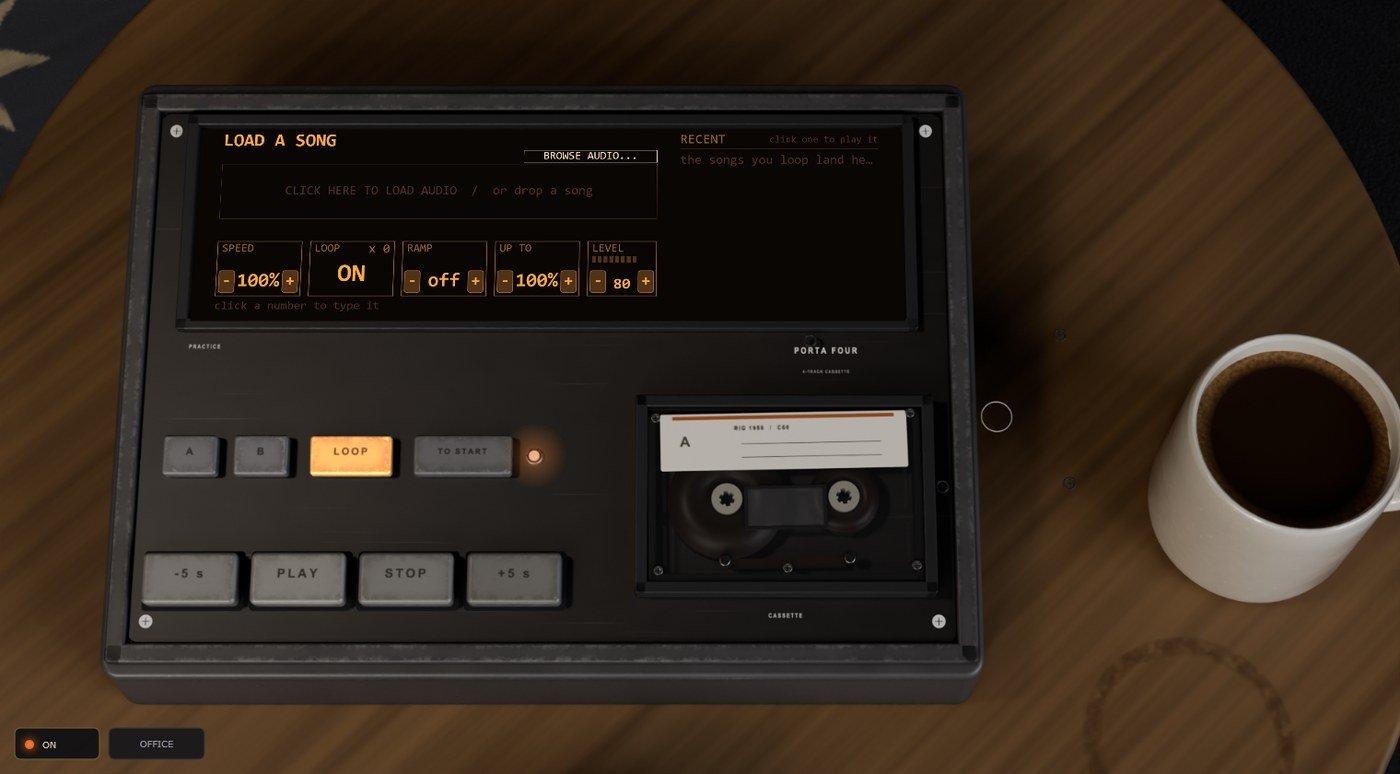
The play-along player, beside the metronome. Put a song on it and it plays through the monitors after the rig, so you play along at any speed without the pitch moving.
Getting a song on
- Drop a file anywhere on the room — WAV, MP3, FLAC or OGG — or click the cassette to browse for one.
- The song appears on the screen as a strip. The name is along the top, the counter beside it.
The keys
- PLAY
- Plays and pauses — so does the Space bar, from anywhere in the room. The key lights green while it runs.
- STOP
- Stops. Pressed twice, it also clears the A–B section.
- −5 s / +5 s
- Hop five seconds back or forward. Inside a loop, hopping past B wraps round to A.
- A / B
- Set the in and out points of a section at the playhead.
- LOOP
- Plays the A–B section round and round. The key lights amber and the lamp comes on while it loops.
- TO START
- Back to the start of the section, or of the song if there is no section.
The screen
- The strip
- Drag across it to make an A–B section. Drag the A or B handle to move it. Click to jump.
- SPEED
- 50–100 %, pitch held. The − and + keys under the number step it by 5 % (Shift = 1 %); click on the number itself to type one, then Enter. The same goes for RAMP, UP TO and LEVEL. At 100 % the song plays untouched.
- LOOP
- On or off, and how many times round so far.
- RAMP
- Speed added on every pass round the loop: off, or +1, +2, +3, +5, +10 %.
- UP TO
- The ceiling the ramp climbs to. Start at 70 %, ramp +5 %, up to 100 %: the same bar seven times, each a little faster. Lowering it below the speed pulls the speed down with it.
- LEVEL
- How loud the song is against your guitar, with a meter above it.
- RECENT
- The songs you have looped, newest first, each with the last section you made on it. Click one and it comes back — the song, the section, the speed and the ramp — and plays.
The clock
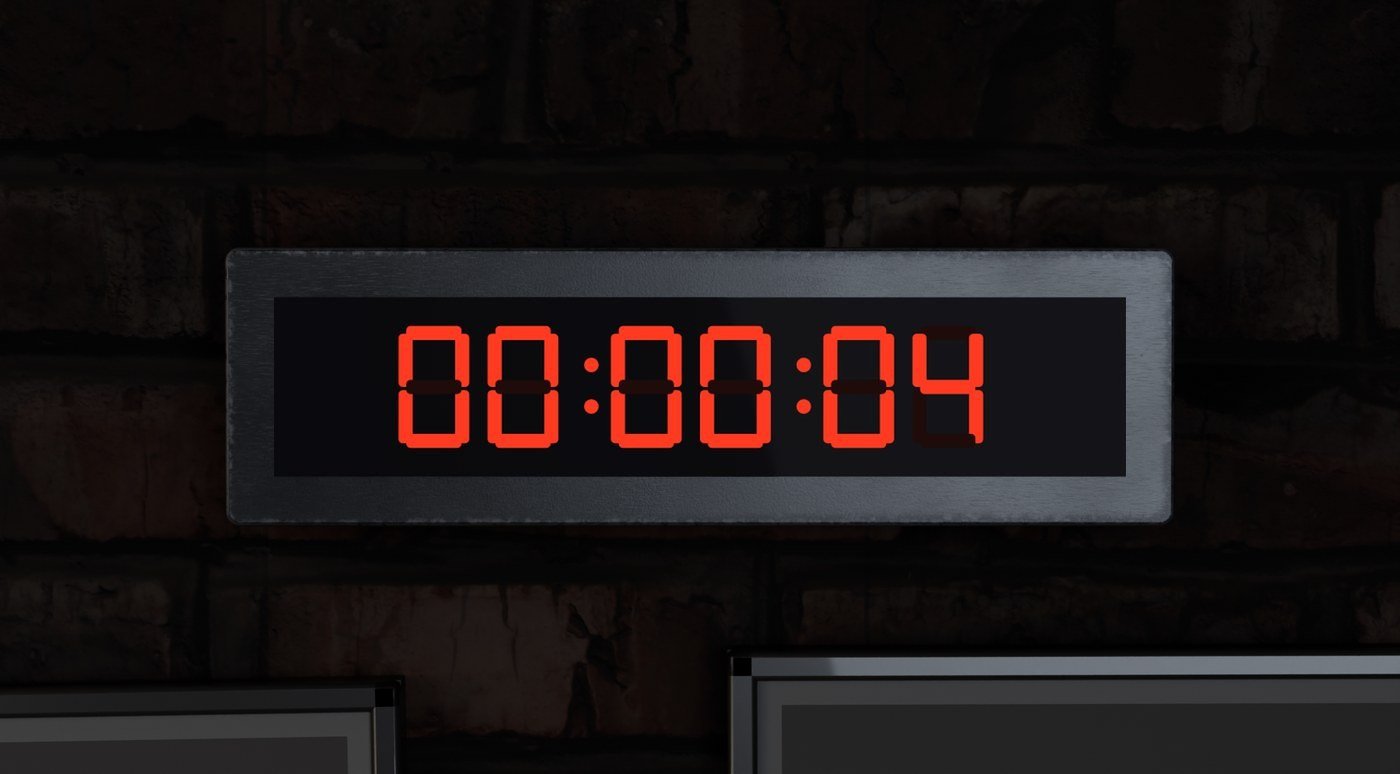
On the wall. Click it to walk up; the keys on its screen pick what it shows.
- Timer
- How long you have been playing this session. It starts when the app opens.
- Clock
- The time of day.
- Countdown
- Press 15, 30, 45 or 60 to add minutes (they add up — 60 twice is two hours) and it counts down. RESET clears it and restarts the session timer.
The preset sheet
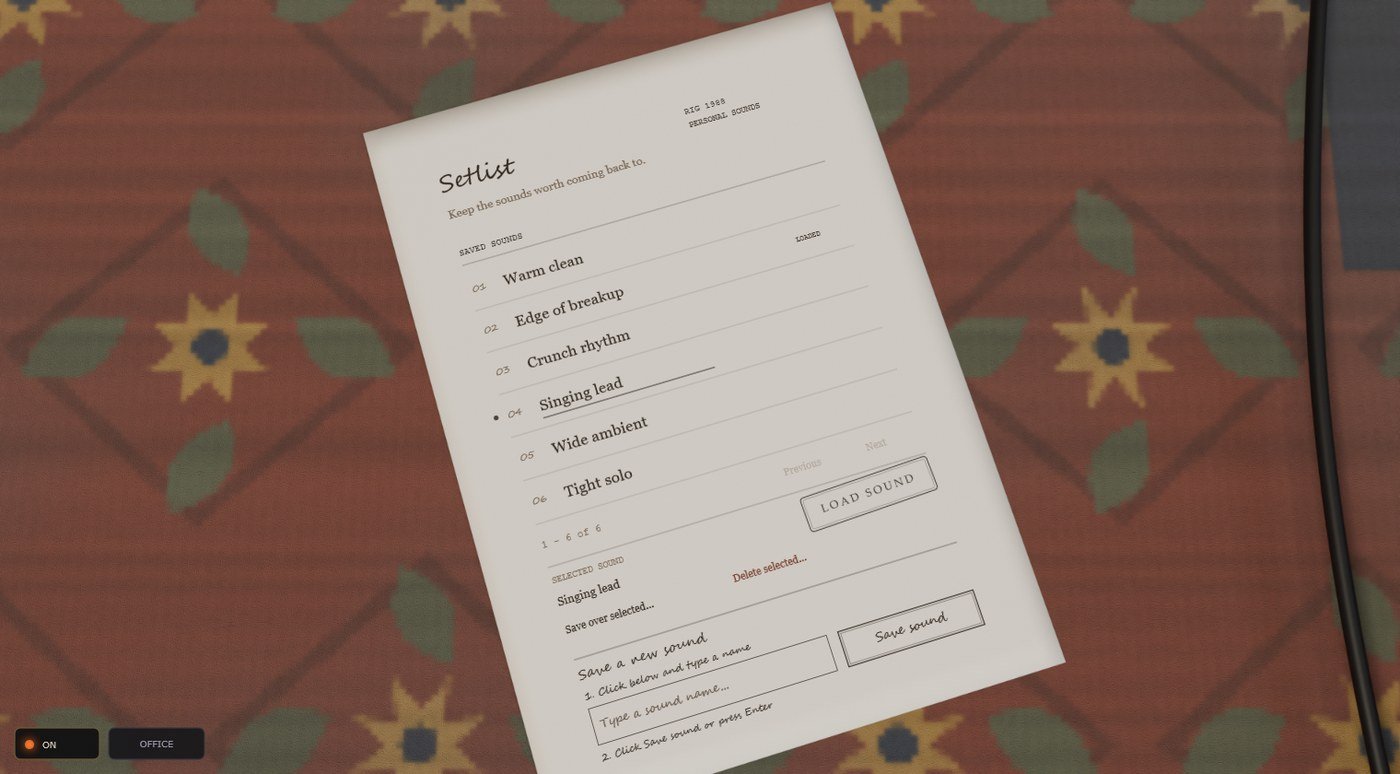
The sheet of paper on the rug, headed Setlist. Every saved sound is one numbered line, and a sound is every knob and switch on the board and the amp head, plus the metronome's settings.
- Pick a line — click a sound to select it. A dot and an underline mark the selected one; the sound that is playing now says LOADED.
- Load — stamp LOAD SOUND to put the selected sound on the rig.
- Save over — Save over selected… writes the rig as it is now over the selected sound.
- Delete — Delete selected… takes the selected sound off the sheet.
- Save new — write a name on the line at the bottom and stamp SAVE NEW SOUND. Two sounds cannot share a name.
- Replacing or deleting asks first, on the sheet: stamp REPLACE SOUND or DELETE SOUND to go ahead, or Cancel.
- Six sounds fit on a page; Previous and Next turn it.
- The app remembers how you left the rig and puts it back next time, whether or not you saved a sound.
Notes on the wall
When the room has something to tell you, it leaves a Post-it — on the cabinet by the amp head, or on the office desk by the sheet. Click it and it lifts off to be read; what you can do about it is written on it. Yellow is a new version (say update now and it downloads, installs itself and comes straight back; later sticks it back on the wall). Blue is a hint. Pink means something is wrong with the sound or the license. Esc or a click elsewhere folds it back.
Your pictures
The eight frames on the wall are yours. Walk up to one and click it to choose a picture; right-click to take it out. Pictures are cropped square, hang in the room and in the frame's close-up, and are lit by the room's light like everything else.
More is More
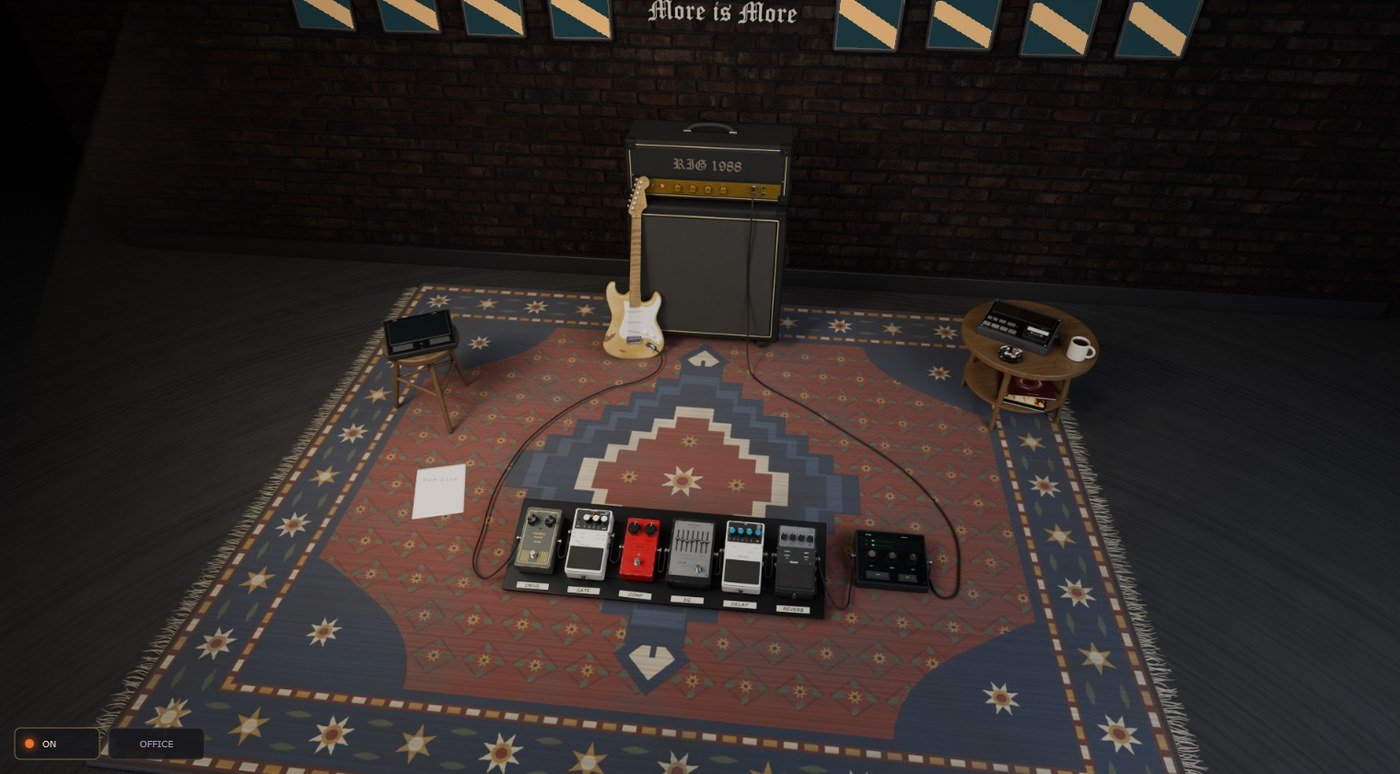
Click the sign on the wall and you see the room from the ceiling — pictures, screens and all. Click anywhere or press Esc to come down.
The telephone
In the office, on the desk. Its speed-dial keys open things outside the app.
- MANUAL
- This page.
- WHAT'S NEW
- The release notes. The app also checks once a day and leaves a yellow note when there is a newer build.
- SUPPORT
- Opens a ticket: your email, a subject, what happened. It goes straight to us with your build and license attached, and the answer comes back to your email.
- LICENSE
- Walks over to the license sheet.
- WEBSITE
- rig1988.com.
In your DAW (VST3)
The VST3 is the same rig, sound for sound, in your DAW's window. One license covers both.
- The DAW owns the audio device, so the metering unit's AUDIO key only says so.
- Every knob is a host parameter, so it can be automated.
- The metronome's DAW SYNC key locks it to the host transport and tempo.
- Presets and your room state travel with the project.
- Any sample rate works; the models run at 48 kHz inside and are resampled for the rest.
Where things are kept
Everything the app keeps is in %APPDATA%\Rig 1988: presets (*.xml), the pictures in your frames (frames\), the tape machine's recent list, the license and the last state of the rig. Delete the folder and the app starts as new — you would need to activate again.